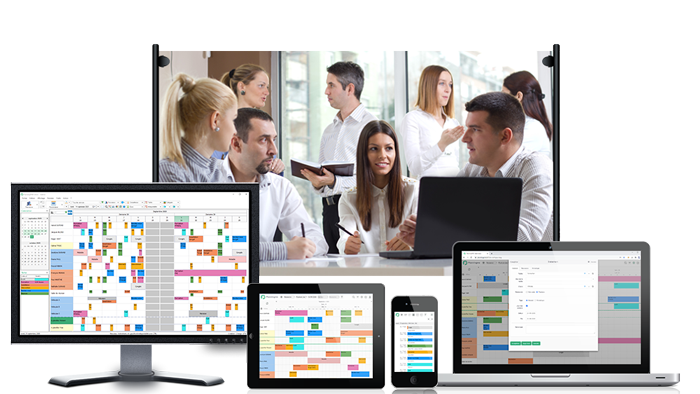
Tasks management software
Organize your tasks and daily activities with an easy-to-use planning tool and share information with your employees.
Optimise your planning management and improve productivity
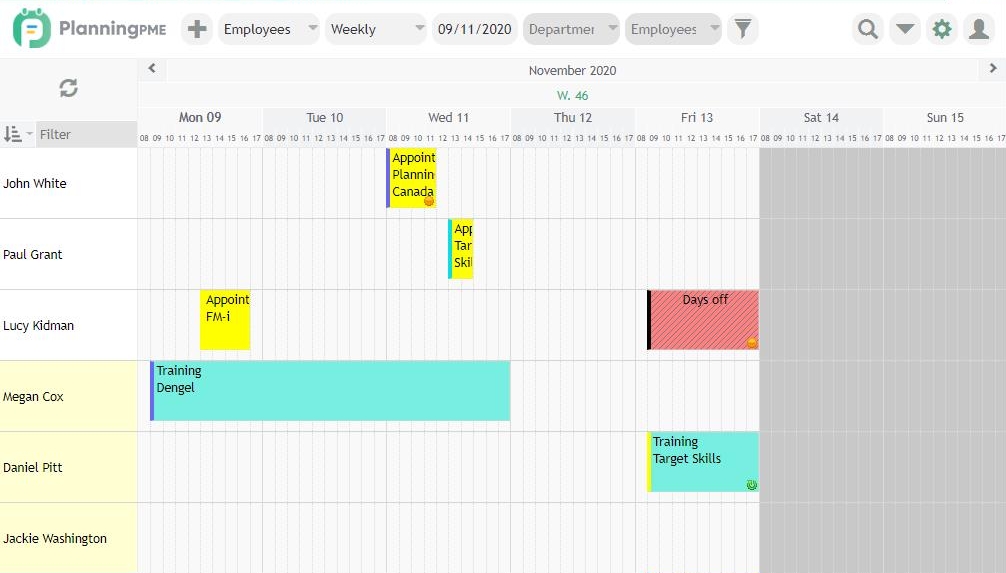
Manage your tasks and vacations easily via a single interface. Share your planning with your colleagues and improve collaborative work. You can schedule any kind of tasks such as appointments and meetings and/or only leaves and vacations and you can include informations such as the status, beginning and end time, single or multi-resources assignments, recurrency, notifications.
Enjoy the benefits of our scheduling solutions for tasks management
Recurrent bookings
Schedule customization
Vacations and days off
Tasks management made easy
Task Planning allows a company to manage its activity better and to know who does what at anytime in the company. PlanningPME is therefore a must-have ally for the task planning, and helps you saving time and money.Therefore you will be able to optimize the time and thus the profitability of your company. The schedule of your resources will be perfectly organized and updated in real time.
Thanks to real-time collaboration your team is informed about changes on the planning instantly. You can also activate alarms to be reminded of approaching of planned task by pop-up messages. Sharing up-to-dates schedules, task information, evolutions of your jobs improve for sure your productivity. With PlanningPME, task scheduling is just facilitated thanks to a visual and graphical schedule.
PlanningPME is a simple and complete solution offering efficient and sophisticated schedule management, enabling us to compile, according to our needs, resources (both human and material), skills, job descriptions, projects, groupings, clients, etc., and of course tasks, dates and timetables. It is also possible to calculate the time spent on different activities, or the time material resources are used for, as well as absences and client costs, to conduct statistical analyses, communicate by e-mail automatically, etc. In summary, a highly-recommended scheduling software. At Bagneux we use it for managing coaches, managing the loan of IT equipment, managing personnel, etc.

Ianesco Chimie

Alcis

SMEDAR