

PlanningPME HTML - Visualisation planning tool
PlanningPME HTML is a visualisation tool. It requires one PlanningPME licence.
PlanningPME HTML generate schedules for any department on a HTML format from PlanningPME database and to as many folders as you want.
Advantages
Daily schedule
Weekly schedule
Monthly schedule
An improvement of remote work
Pleasant and precise view of your activity
1) Parameter PlanningPME HTML (all informations are saved in the registerdata)
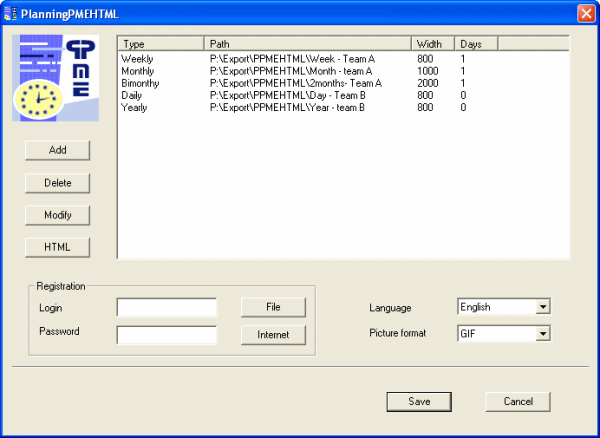
For each schedule generated, you can choose the following parameters:
- Type of visualization : daily, weekly,
monthly…
- Department : departments your create as for example technical department, sales department, account;…
- Path: Location of the HTML page created
- Width: Width of the HTML page you generate
- Days: First day of the synchronization
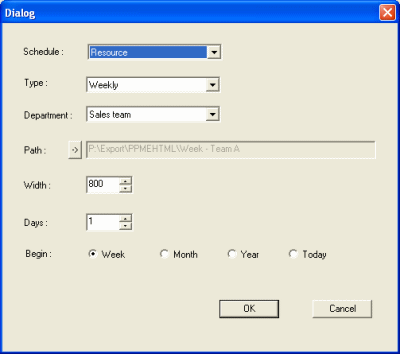
You can enter different parameters to your HTML pages generated for a better visibility of your schedule on the screen.
2) Create a scheduled task on your computer in order to launch PlanningPME HTML periodically
3) Schedules are automatically generated. Click on a task and details about it will appear on a new window!
4) Try PlanningPME HTML There is no trial version of PlanningPME HTML. The synchronization included in the software gives you an overview of the possibilities you have with PlanningPME HTML. We can create HTML pages from your schedule if you want.. Contact us