Template for monthly tracking of hours per customer
Monthly analysis of time worked per customer with details by type of task
Download this Excel PivotTable template
Theme : ClientFeatures
- Conditional formatting
- Clients
- Tasks
- Segment : month
- Sum
- Hours : Dat_Hours
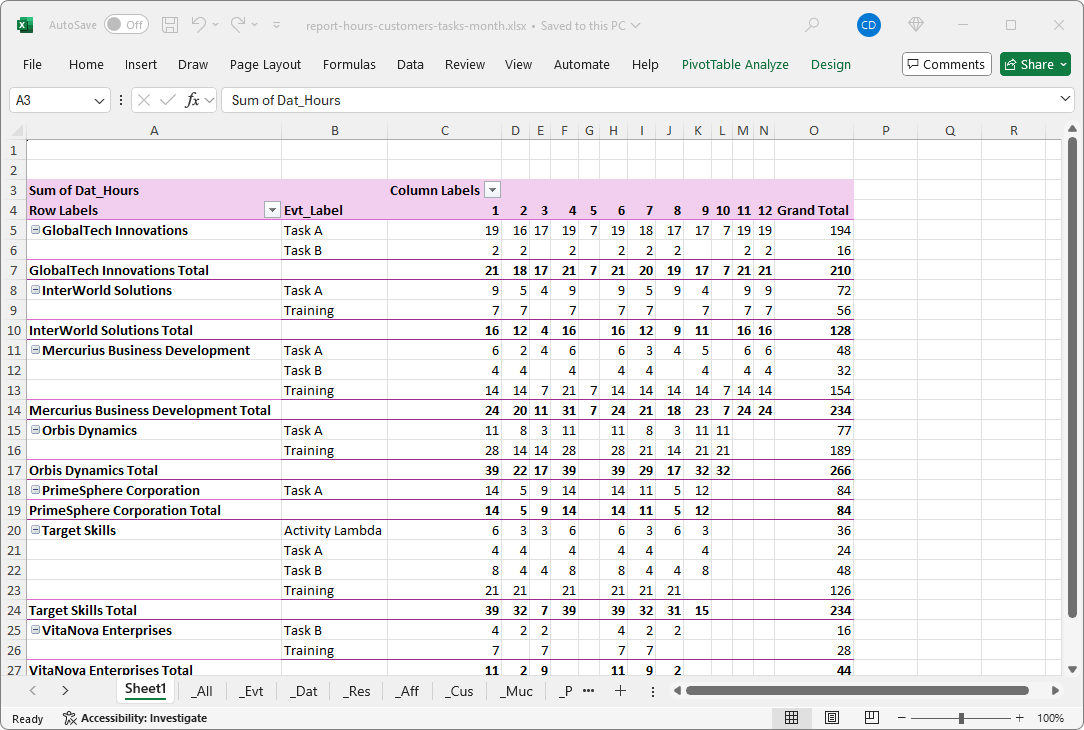
This Excel template allows you to track the total number of hours worked per customer each month, with a breakdown by task type. With built-in pivot tables, you can analyse activity by customer and optimise your resource planning.
What is a monthly time tracking template per customer per month?
A monthly time tracking template by customer per month is a structured table, usually in Excel format, that allows you to record and analyse the total number of hours worked for each customer over a given period. It facilitates the management of activity, invoicing and the optimisation of the management of the time devoted to each customer.
Why use a monthly Excel report per customer?
This template allows you to quickly analyse the hours worked per customer each month and identify business trends. It helps identify the most time-consuming or profitable customers, and adjust priorities accordingly. It also provides a clear view to anticipate resource needs and improve the distribution of tasks within the team.
What's in this monthly customer tracking Excel template?
Here are the different data highlighted in this Excel report:
Value
- Sum of hour : [Dat_Hours]
Row
- Clients : [Cus_Label]
- Tasks : [Evt_label]
Columns
- Date : [Dat_Month]
Use this Excel template to analyse customer activity, improve scheduling, and accurately track the time spent each month. You can adapt this report by adding your own filters with custom fields, for example, or by segmenting by week or day.
Generate time reports per customer from PlanningPME
This Excel report of hours worked per customer and per task was generated directly from the PlanningPME software. All schedule data and statistics, including customers, tasks, and hours, can be retrieved at regular intervals.
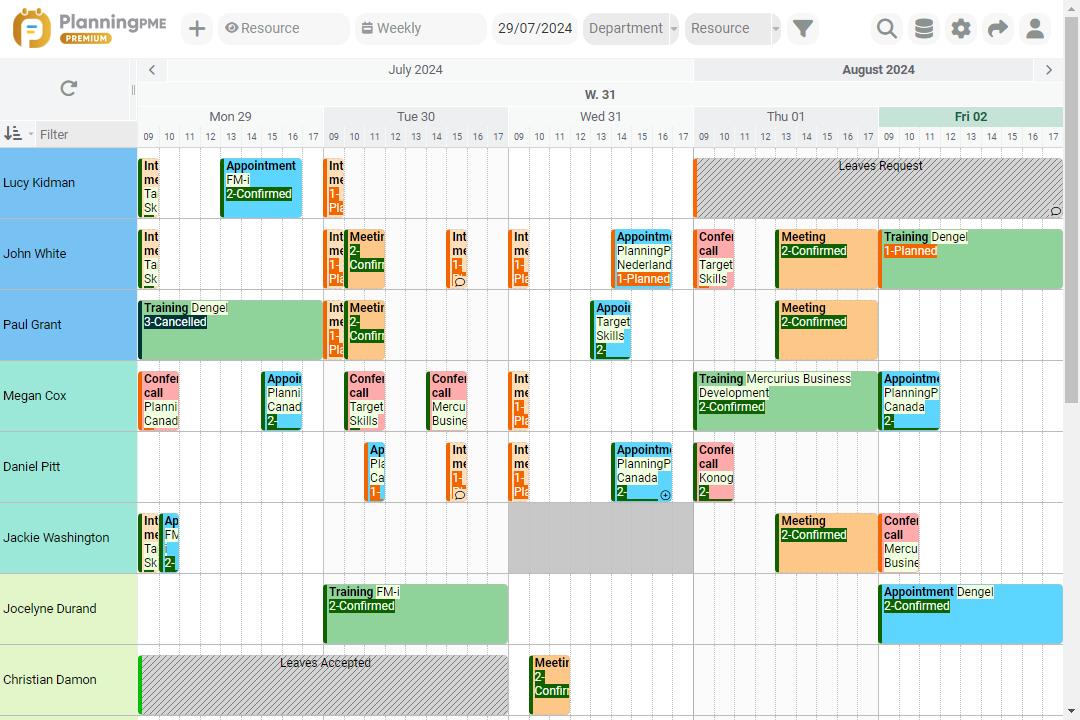
Create this Excel report with PlanningPME
Who uses this report on hours per customer and per task?
Here is an overview of the different departments in a company that can use this type of report:
- Customer account managers : Accurate tracking of time and tasks per customer each month
- Senior management : Monthly activity overview by customer
- Planning Managers : Optimisation of resources according to the time spent on each customer
- Accounts Department : Monthly time tracking for invoice preparation and customer reports
Optimise your customer management by using this out-of-the-box time tracking template that can be updated in a few clicks from the PlanningPME Web software.