

In a nutshell
If your business needs frequent adjustments and efficient team organisation, a weekly schedule is the answer: a clear overview of your objectives, with multiple benefits, and simple to set up. In this article: why a weekly schedule changes daily life for many businesses, our 5-step method, and free templates (Excel or PlanningPME) to download right now.
What is a weekly schedule?
Definition
Usually presented in the form of a clear, colourful table, the weekly planner is a kind of business calendar or weekly planner. Under its childish guise, it is a powerful solution for optimising time management. From Monday to Friday, Tuesday to Saturday, etc., it provides an exhaustive weekly snapshot and a precise view of the tasks to be carried out each day. So that the director, manager or employee can identify the actions to be taken and the priorities.
Weekly schedule templates
Téléchargez ou testez nos modèles de planning hebdomadaire gratuits : un modèle Excel simple et prêt à l'emploi, ou l'outil PlanningPME, performant et adaptable pour organiser efficacement les plannings de vos équipes. Sélectionnez le modèle qui correspond le mieux à votre organisation. Download or try out our free weekly schedule templates: a simple, ready-to-use Excel template, or the PlanningPME tool, powerful and flexible for organising your teams' schedules efficiently. Select the template that best suits your organisation.
PlanningPME template
A dynamic, collaborative online schedule, updated in real time for the whole team.
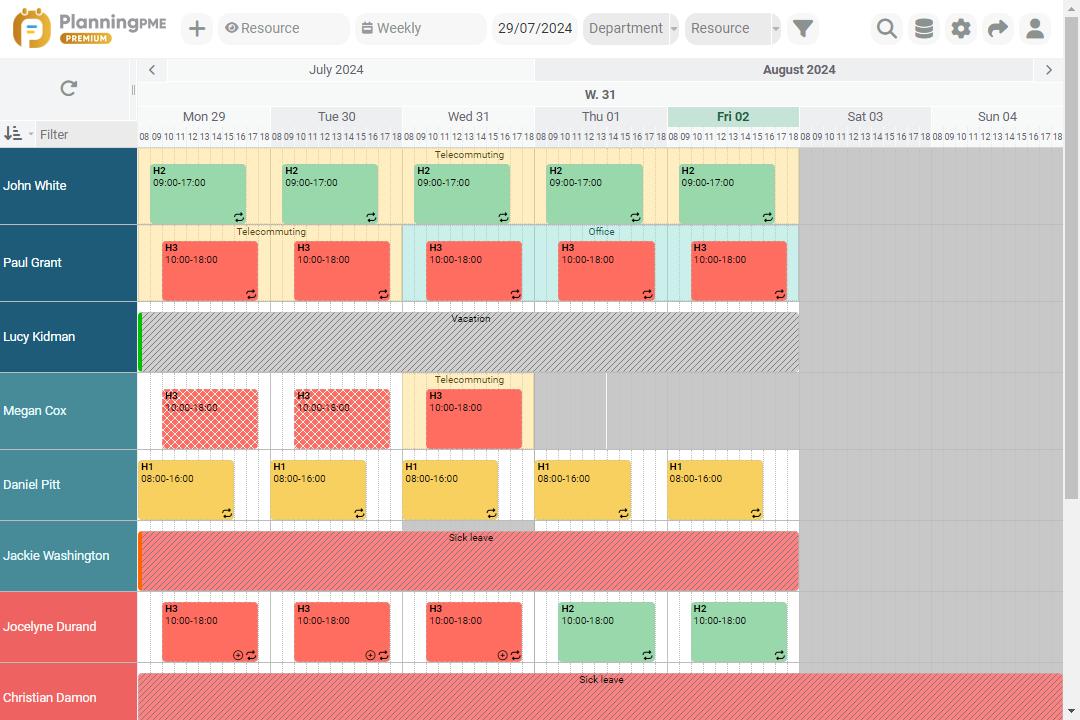
- Instant view of shifts, leave and availability
- Customise colours and time slots to suit your needs
- Accessible to the whole team, with no installation or file to manage
- Scales as your organisation grows
Excel template
A free, ready-to-use Excel file, with a tab for every week of the year.
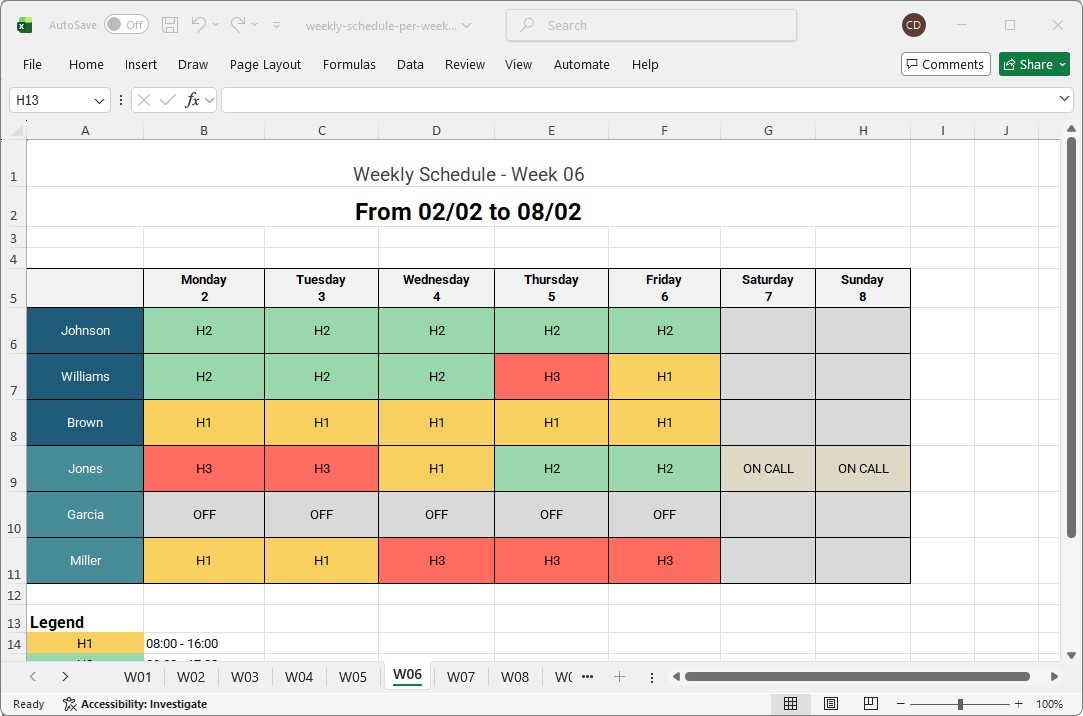
- 53 weeks already set up, one per tab
- Editable time slots and colour codes (attendance, leave, on-call...)
- Compatible with Excel and Google Sheets
- Easy to print or share with your team
What are the advantages of producing a Weekly Planner?
A weekly schedule - like a map over several consecutive days - allows you to :
- allocate time slots to meet business needs ;
- break down work periods (actual work, lunch breaks, meetings, training, etc.) ;
- share availability between team members ;
- highlighting the organisation as a whole for greater proaction.
This timetable obviously needs to be adapted to the business plan of the company using it..
The advantage of getting organised
Being able to refer to a table that centralises all activities is a comfort at work that contributes to general well-being. Like a sports coach detailing on a board the position and role of each player on the pitch, everyone knows what to expect individually and collectively:
- Work to be carried out at time T ;
- positioning of team members ;
- status of related services ;
The advantage of being flexible
Which brings us to the second advantage: flexibility. Imagine you're behind the wheel of your car with a route all mapped out for you. However, when faced with the weather, roadworks or an accident: even with a good GPS, the road will probably not be as you imagined it. You may need to deal with unforeseen circumstances to get back on track. The same applies when you draw up your weekly schedule. It establishes an ideal course of action, but it is never set in stone. It's a weekly plan designed to support you, but you're in charge.
The advantage of Anticipating
The consequence of flexibility: prioritisation and anticipation. If you have a decisive project underway, it will be easier for you to understand its repercussions within the team. All you need to do is structure the project in several stages, or bring in new collaborators. So you can :
- maintain control over the detailed organisation;
- meet deadlines.
The advantage of being educational and productive
By using an online working time management tool, it will be very easy to create a clear schedule that respects everyone's rhythm. Any changes are visible as soon as the data is saved, participants are instantly alerted to a person's activity, their presence in a meeting, etc. Avoiding superfluous exchanges (which are legion from Monday to Friday), will have the advantage of enhancing the value of individuals and generously influencing productivity.
Organising your day-to-day tasks with a weekly schedule helps to promote understanding, cohesion and therefore the success of your assignments. With practice, it allows you to quickly share and channel individual and joint objectives at a glance. So you can look forward to the week ahead with confidence, whatever your role in the company.
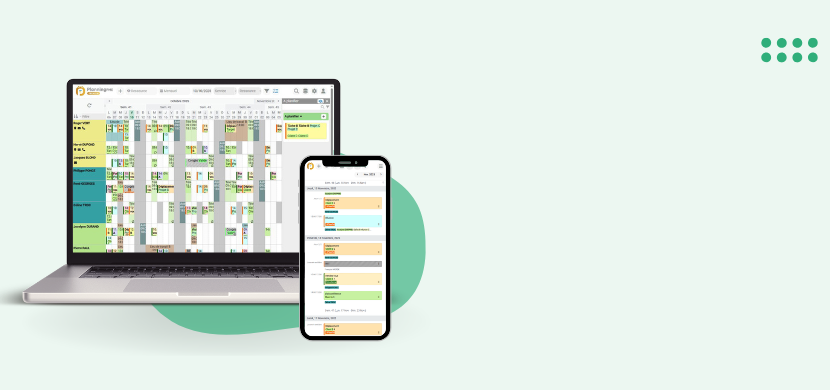
How to make your Weekly Plan in 5 Steps
Not sure where to start? Here are the 5 main steps to achieve this.
List your tasks
From the most important tasks to the smallest:
- Draw up a summary of all the objectives to be achieved, in the form of a list or a tree structure (whichever you find most meaningful).
- Gather all your information in a single place and use it as a database to build your weekly calendars.
- Create a model to-do list that you can refine with practice.
List your resources
For each project to be carried out, you will need to assign a team, or more precisely, collaborators. To do this, it is essential to take stock of your resources, i.e. :
- The number of services
- The role of the teams
- The qualifications and names of people who can meet the requirements.
This first stage is essential for the presentation of the rows and columns that will appear on your future weekly schedule.
Our advice for these first 2 stages (and the following ones): if you do it with a group, it will be more stimulating and you'll be less likely to forget.
Define your priorities and deadlines
Another crucial phase: using the time slots that concern you, go back over your tree structure or your to-do list to define the priorities. For each line of tasks or weekly objectives, you will need :
- Assign a corresponding deadline ;
- Determine the time needed to complete the project ;
- Selecte the human resources to guarantee success ;
- Assess the right time to start the project ;
Our advice for this 3rd stage :
Use clear, concise headings to draw up your weekly schedule, and always leave room for unforeseen events. (Substitute days and staff in the event of absence).
Plan your missions by importance
Prioritising your weekly tasks can be a real headache. That's why a weekly plan will make it easier for you to organise them. These priorities include
- Distinguish between short- and long-term objectives ;
- Break long deadlines into short tasks ;
- Spread your assignments over several weeks.
Our advice for this 4th stage :
Communicate information to your teams as early as possible. They will appreciate the initiative and will be in a better position to prepare themselves in advance.
Weekly review
Whether at the beginning, middle or end of the week, it's up to you to choose your pace. But don't neglect the weekly review, which will enable you to :
- Encourage your employees ;
- Make sure you're on time ;
- Quickly identify obstacles and barriers ;
- Finding solutions to bounce back immediatelyt ;
Our advice for this 5th and final stage:
Don't hesitate to involve your circle of colleagues. They will be able to offer you their own vision and will be all the more involved in the project and its deadlines.
What materials are needed to create a weekly schedule?
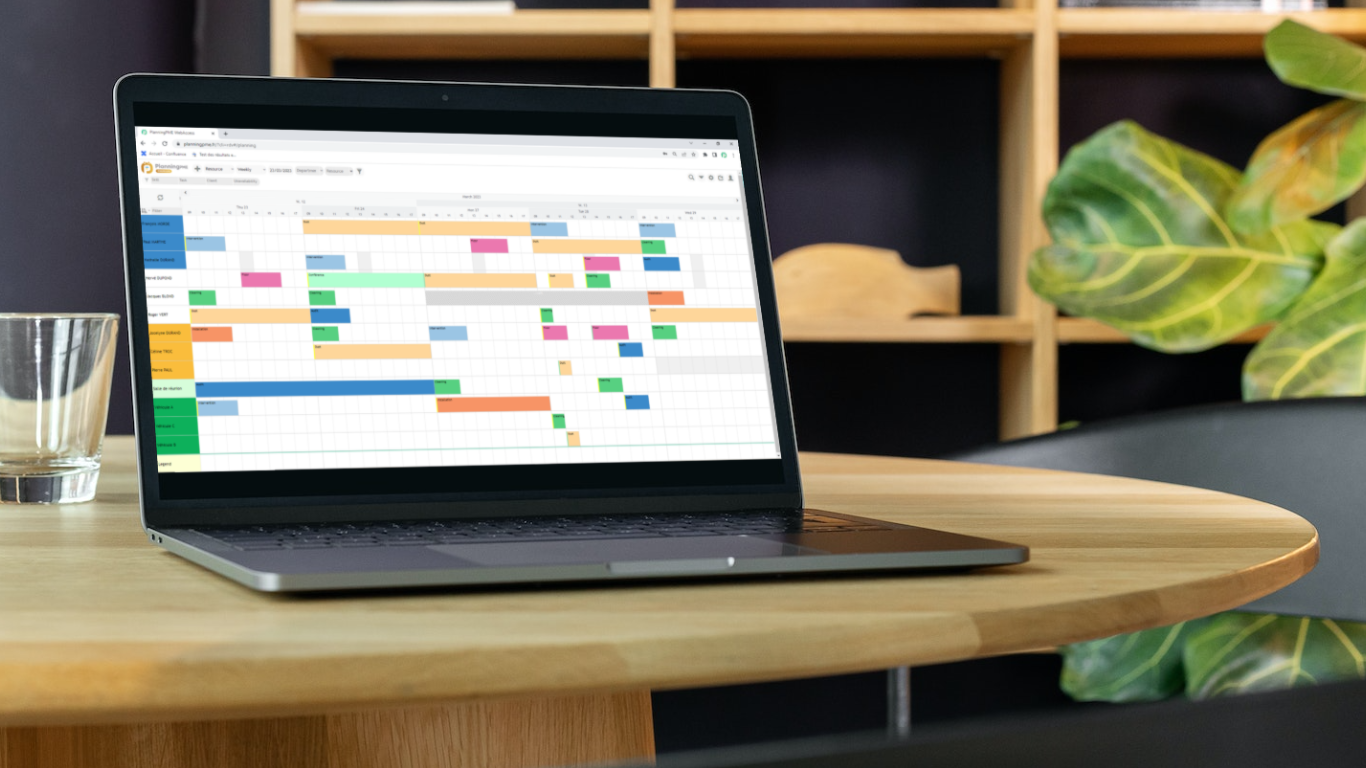
Excel schedules
The tool of choice for many companies, the famous spreadsheet software makes it easy to set up and gain initial experience of working independently. Once you have mastered its functions, it will be quick and easy to create a weekly calendar and implement it in your company.
The advantages of an Excel management chart
You'll find all kinds of pre-designed weekly planners on Microsoft media. Planning templates available to users, which you can select and customise according to your resources and assignments. Perfect for a fixed organisation, but more demanding when it comes to changing your schedule over the course of the week.
The disadvantages of Excel planning
A handy way of getting started in planning management, the Excel spreadsheet can - on the other hand - prove to be a source of errors. As this type of device is not really intuitive, it requires great rigour and skills worthy of a virtuoso. Even with a small structure, remember that its success will rest entirely on your shoulders. Schedule management has its limits, as it is very time-consuming for the person in charge.
Online planning and software
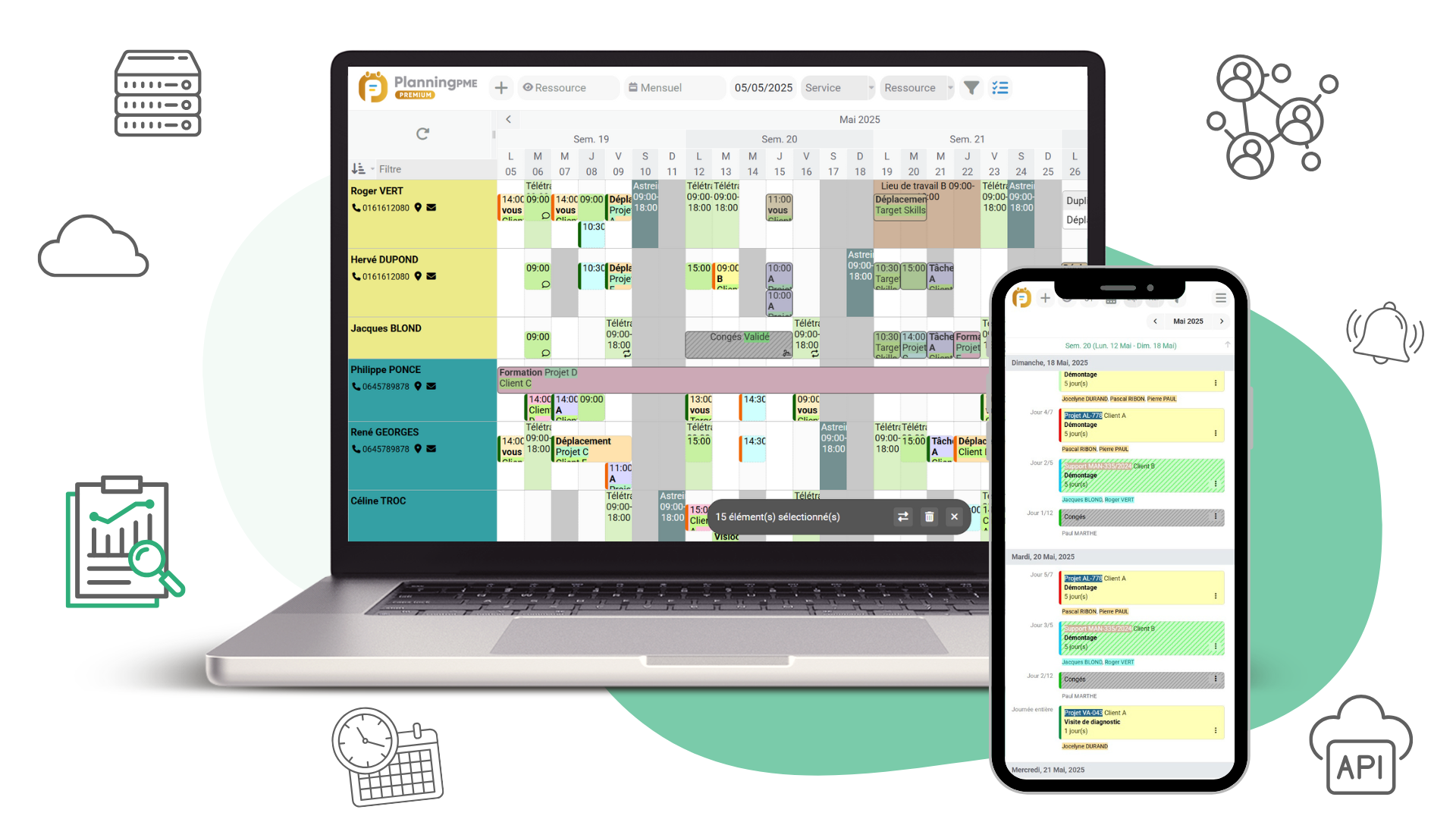
It's a "new" generation of planners, with a host of features to make your day-to-day life easier. But, in reality, it's not such a 'new' generation. The proof, at PlanningPME, we have been developing solutions for over 20 years for managing company schedules. In fact, since 2002, we've been constantly striving to offer you even better and more collaborative alternatives, while taking care to reconcile human needs and productivity.
Advantages of a connected weekly planner
- Set parameters to match your core business.
- Enables you to produce schedules that comply with legislation.
- Limits human error.
Drawing up a weekly schedule with the help of assisted management will pave the way for serene organisation. Especially if your profession requires frequent adjustments.
PlanningPME solutions
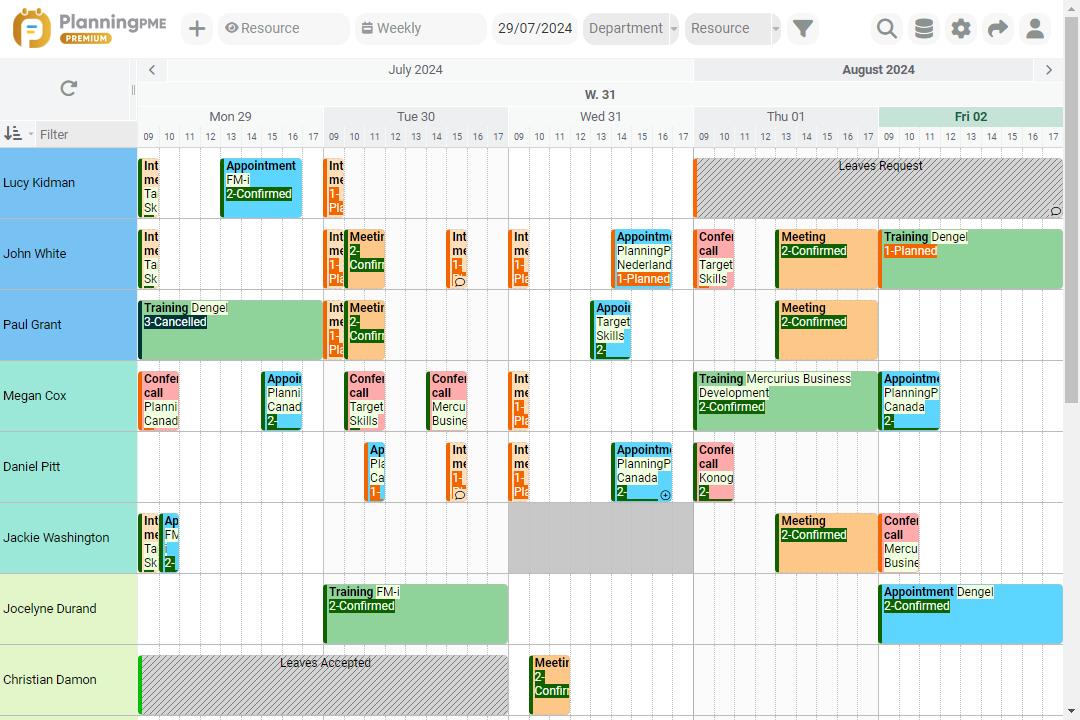
Staff schedules, holidays and absences, task management, projects, meeting room occupancy, training, teleworking, etc. Our intuitive solutions cover all business requirements, whatever the size of the company.
- Automated planning software ;
- Collaborative online planning ;
- Support, advice and training services ;
FAQ
Interested in an efficient, interactive weekly schedule? PlanningPME answers your first questions.
A weekly schedule offers a detailed day-by-day view over a week, ideal for organising tasks, hours and short-term priorities. A monthly schedule gives a broader view, useful for anticipating leave, deadlines and projects over several weeks. The two are complementary: one drives daily operations, the other the overall picture.
With a ready-to-use template (Excel or PlanningPME), a few minutes are enough to fill in a team's hours and time slots. Starting from scratch, allow 30 to 60 minutes for the first week, to list tasks and resources. After that, the weekly update only takes a few minutes.
Yes, this is actually one of the use cases where it is most useful: it lets you see at a glance who is in the office, working remotely or travelling each day of the week, and organise meetings or collaboration time accordingly.
The best approach is to review it at the start of the week to set priorities, then adjust it mid-week if anything unexpected comes up (absence, urgent client request, project delay). A fixed schedule quickly loses its usefulness: flexibility is what makes it a living tool rather than a simple static document.
It's easy to find out: watch our video demonstrations or take advantage of a free half-hour personalised presentation.
YES. PlanningPME provides read access to the entries in your database and retrieves them using a dedicated API.
YES. MS Acces, SQL-Server, My-SQL or Oracle: we can offer you online or on-site installations for different databases.
YES. One of our advisers will be able to come to your aid via a screen. And if you ask, we can offer you: training courses on our range of products and even audit days to fine-tune your needs.