


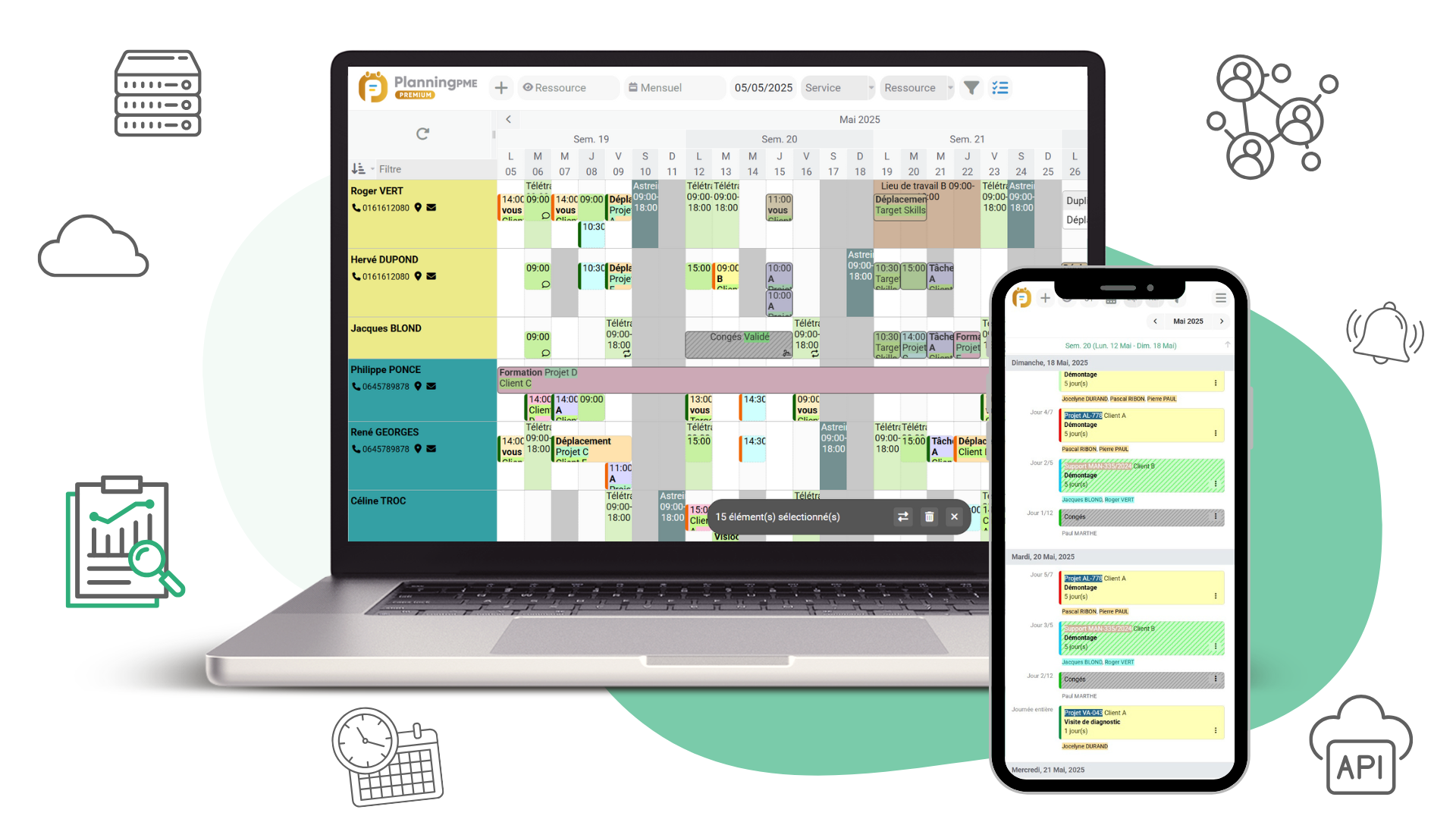
The workshop production schedule is used to plan production orders (POs), optimise the use of machines, schedule the work of workers and make better use of all the equipment in the workshop. In a context where deadlines are tight and costs needs to be controlled, having the right software and efficient methods has become essential.
What is a workshop production schedule?
A workshop schedule enables you to sequence your production orders (POs) using workshop resources (machines, workstations, teams), taking into account capacity, unavailability, priorities and lead times. With PlanningPME, you can visually monitor your workload, anticipate bottlenecks and secure your deliveries. The solution is used in manufacturing and similar industrial environments.
- Machines and workstations : availability, maintenance, set-up times.
- Workers and teams : schedules, absences, skills.
- Specific equipment : tools, vehicles, shared facilities.
- Workload : optimal distribution of the workload according to the schedules and availability of human and material resources.
A workshop schedule enables you to deliver on time, while controlling overall costs and optimising resource utilisation.
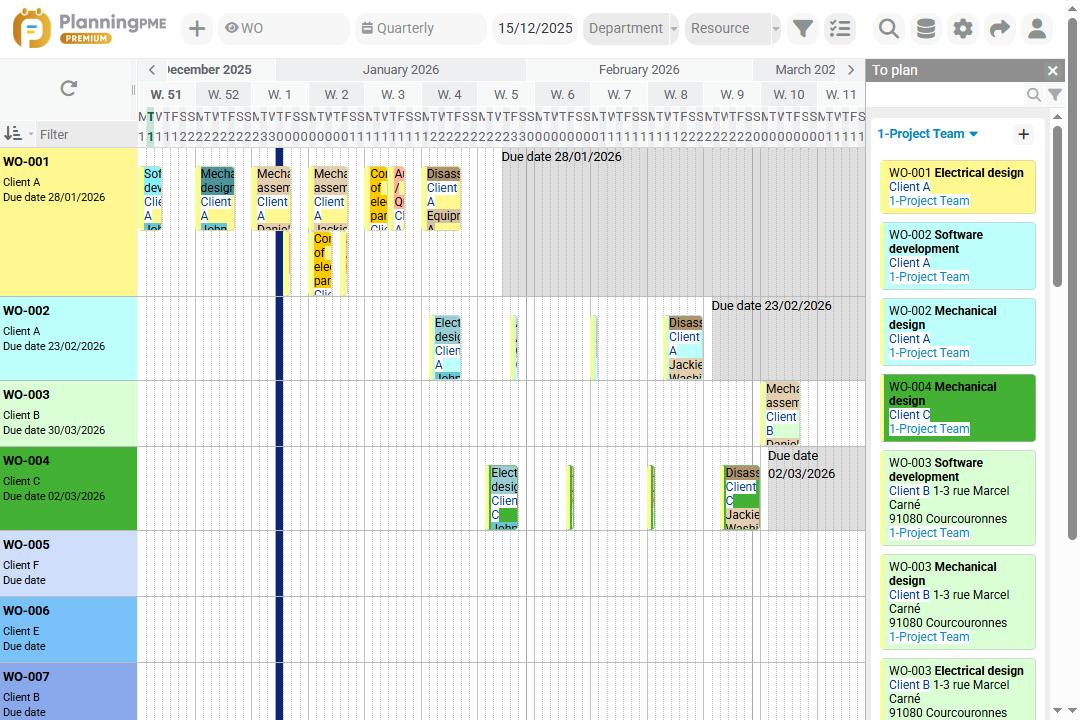
What are the advantages of workshop production scheduling software?
A workshop schedule helps to reduce delays, control costs and improve overall productivity. While it's possible to get started with tools like Excel, the limitations quickly become apparent: lack of visibility, manual errors, difficulties in managing contingencies.
Here are some of the benefits and key features of workshop planning software such as PlanningPME :
Intuitive, visual planning
Team management
Smooth communication
Multiple views and filters
PO planning
Just-in-time production and continuity
Accessibility
Capacities, time off and machine breakdowns
Plan your workshop production activities
Create your workshop schedule in 7 steps
To successfully set up an efficient workshop production schedule, follow these 7 key steps that will guide you step by step, from identifying resources to adjusting them in real time.
- Identify workshop resources : List the machines, workstations, operators, teams and equipment needed for production.
- Define workshop production orders and operations : Structure your production orders by integrating the tasks specific to your activity, the planned delivery dates and the associated customers.
- Estimate time and constraints : Evaluate the duration of each operation, taking into account preparation and maintenance times and capacity and skill constraints.
- Schedule production timeline : Sequence the POs on available resources using the different views of the visual scheduling tool (team view, PO view, customer view, project view) to balance workload and capacity.
- Distribute and share the workshop schedule : Make the schedule available to teams (web, mobile, workshop screen) so that everyone has the same up-to-date information.
- Monitor progress and make adjustments in real time : Monitor the execution of POs, identify delays or emergencies, then reorganise the workload immediately.
- Download a free production schedule template : Get started quickly with a ready-to-use template for structuring and optimising your workshop schedule.
By creating your production schedule with the software, you can transform your workshop: more visibility, fewer delays and customers delivered on time.
Create your production schedule
Comparison of workshop scheduling solutions
| Solution | Advantages | Disadvantages |
|---|---|---|
| Excel / Spreadsheet | Free or already installed Flexible and customisable Simple for small volumes |
High risk of manual errors Difficult to share and maintain Limited as the workshop grows |
| PlanningPME | Machines, teams and POs in a single tool Clear interface and multiple views Alerts and contingency management |
Cost of licence or subscription Initial settings for advanced functions |
| Other software | Wide choice of specialist tools Can integrate ERP/ stock/ purchasing Adaptable to specific needs |
Often at high costs Complexity and extensive training May be too complex for small companies |
Customers case studies - Testimonials
Testimonials
From the plethora of software available for tracking absences and holidays, PlanningPME immediately seemed to us to be the best choice available. Easy to install and intuitive to use, our different users have adopted it very quickly. As a specialist in the manufacture of printing machines and the converting of packaging materials, DCM has to manage increasingly complex human resources on a daily basis: holidays, RTT, sickness and also business travel or the organisation of technical teams in the factory or abroad. I will add that PlanningPME has been designed with a real understanding of the needs of small- and medium-sized business, it is scalable, and adapts to the needs of each user. Finally, its modest cost and the quality and dynamism of the Target Skill team should convince any remaining sceptics.

Our first needs were to have a planning tool that was easily integrated into our business processes, flexible, and able to take pride of place in the daily management of our activities and resources. Using PlanningPME gave us complete visibility to coordinate our multifunctional, always-on-the-move work teams. In addition, its integration within our business systems has simplified our project management activities, allowing us to cover the process from the creation of a new job to its reporting. In addition, the monitoring of the order allows us to have sensitivity to any deviations, both before, after and during.

Discover the success story of our client Diseños NT
Our client Diseños NT needed to organise its production lines, the availability of machines and human resources: it's done
Company Overview
Diseños NT is the first Spanish manufacturer of personalised reusable bags and covers, European leader and reference in the promotional packaging sector. In addition to the range of promotional bags, Diseños NT has 3 new product lines: single-use non-woven tablecloths; disposable sanitary items; and garment covers.
The company has more than 28 years of experience in the sector and its great competitive advantage lies in its integrated production system, flexibility, unique offer and quick response to its customers' needs. Certified quality, protection and respect for the environment, as well as social development are an integral part of its business model.
This commitment is reflected in its circular economy system that converts the waste generated into new resources, extending the useful life of materials and manufacturing bags and other non-woven fabric items with 50-70% recycled materials.
Our scheduling needs
The growing demand for sustainable packaging solutions such as reusable bags, accompanied by an unprecedented increase in orders for disposable sanitary hygiene products, led to the need to launch a new planning department to deal with this complex situation.
Once the department was organised and structured, a tool was sought to help us organise resources, both material and human.
After a trial period, we finally opted for PlanningPME, as it combined versatility, ease of use and a very visual interface.
Customer order management and production planning
Diseños NT is part of an optimised integrated production ecosystem supported by excellent internal planning. This is due in part to the tools used by the company, among them PlanningPME.
This software allows us to organise the different work lines of the company. Once our customers have confirmed their orders, they are integrated into the tool, allowing us to see the availability of machine hours and thus allocate human resources more efficiently

Discover the success story of our client Alcis
At Alcis, the distribution of the employees' workload could be done quickly
Company Overview
Alcis is a dynamic and creative SME specialising in the design, manufacture and licencing of innovative medical devices in a variety of fields such as neurosurgery, endovascular surgery and electrophysiology.
Alcis also provides subcontracting services in the clean room and quality and regulatory advice for the implementation of ISO 13485 quality systems and CE markings of medical devices of all classes.
Our scheduling needs
The need to plan and have a global vision of the organisation of the company were expressed through a causal analysis.
The goal was to find a tool for Alcis to manage its activities and to spread the workload among employees so that all activities could be completed.
How to plan the design, manufacture and approval of medical devices?
PlanningPME allows Alcis to plan its activities according to different processes. It allows us during recurring meetings to report on the progress of different projects as well as the workload of each employee. PlanningPME software has been selected from a list of planning software.
This software meets the different needs expressed by process managers such as priorities, filters by people / service / activities as well as the workload of staff. In addition, the customer service of the company who developed this software is available quickly and meets the needs in a short time. The choice was also driven by the ergonomics of the software. The latter allows a quick start as well as a facilitated reading.
FAQ
Large-scale production planning is used to anticipate medium/ long-term requirements (volumes, overall capacity). The workshop production planner works on a daily basis to sequence POs, manage urgent situations and deliver on time.
The interface is designed to be intuitive: most of our customers are operational within a day.
A spreadsheet may be enough for small volumes of data, but it quickly becomes limited: no real-time updates, frequent errors and complicated sharing. As soon as the workshop grows or several resources need to be managed in parallel, dedicated software such as PlanningPME becomes essential.
The most commonly used are on-time delivery (OTD) rate, rate of return (overall equipment effectiveness/ overall operations effectiveness), work in progress (WIP), average delay rate and load/ capacity comparison. These indicators help identify bottlenecks and improve overall workshop performance.
Yes, solutions such as PlanningPME offer a free trial enabling you to test the planning of machines, teams and production orders before making any commitment. It's a quick way to check whether the tool meets your needs.
30-day free trial to boost your schedule management
Request a demo Free trial