Scheduling software for audit and accountancy firms
Plan your audits, financial closings and holidays by centralising workload distribution, skilled personnel and remote work schedule.

- The sector: services that require extensive planning
- What you can achieve with a good scheduling practice
- PlanningPME: scheduling tool that reflects the realities of accountancy firms
- 3 practical examples of everyday use in an accountancy firm
- Comparison table: Excel vs shared calendar vs PlanningPME
- Implementing PlanningPME in an accountancy firm: 5 best practices
- For a well-managed workload and more composed teams
- Customers case studies - Testimonials
- FAQ
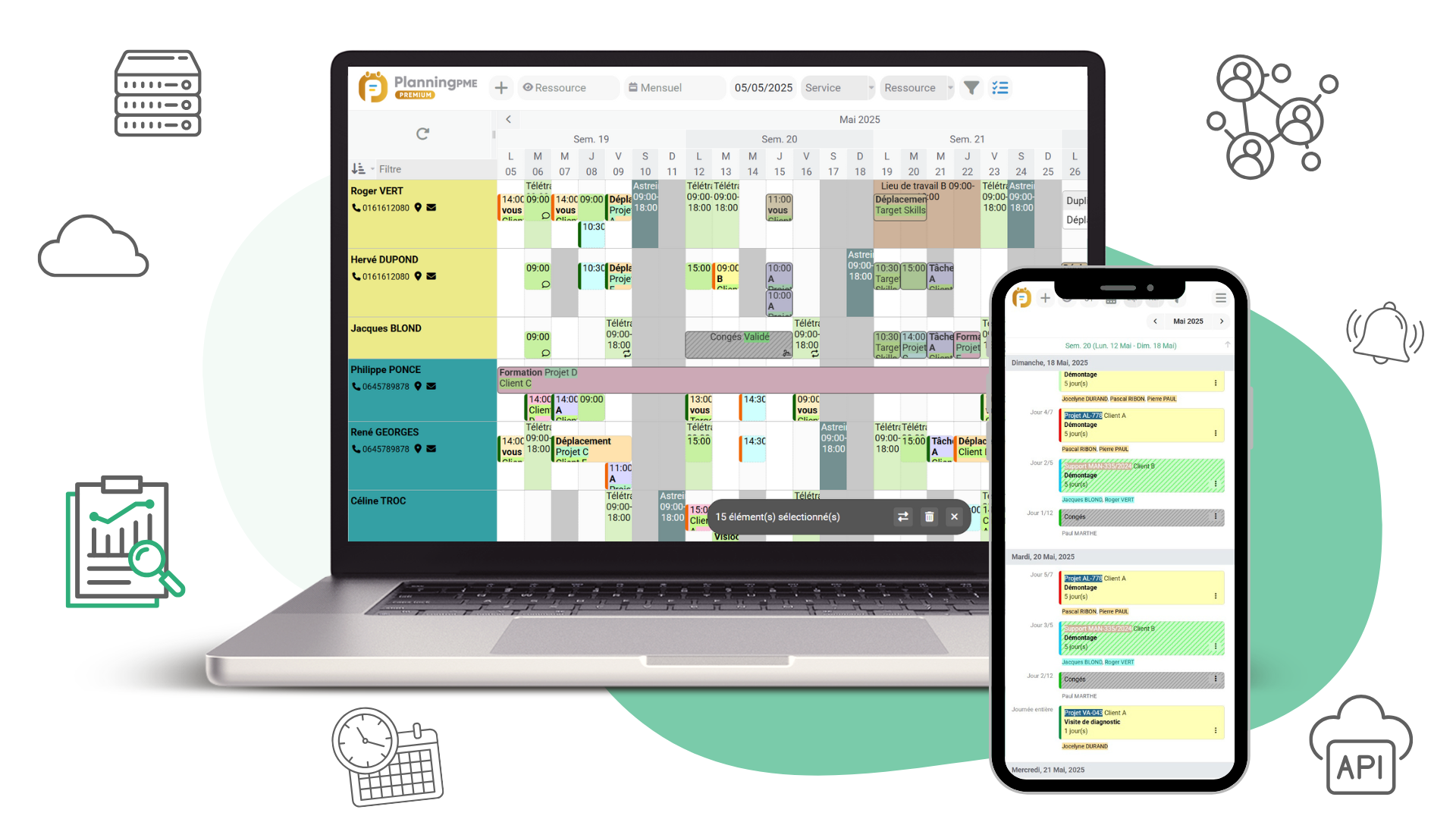

In a nutshell
In an audit and accountancy firm, performance does not depend solely on technical skills. It also depends on the ability to plan assignments in detail (client audits, internal/firm audits, finalisation), cope with peak workloads during the tax season, organise remote working, and accommodate training and absences without missing deadlines. This page explains how to draw up a realistic workload plan and how PlanningPME helps teams (partners, directors, managers, senior staff, junior staff, work-study students, interns and subcontractors) to gain greater clarity, peace of mind and improved quality.
The sector: services that require extensive planning
Audit, accountancy and consultancy firms operate to a tight schedule: financial year-ends, half-yearly reviews, ad-hoc assignments (client/firm secondments), assignments involving travel and sometimes overnight stays, not to mention continuous professional development and upskilling of teams.
1) A marked (and often underestimated) seasonal pattern
Between January and May, the pressure mounts: finalising the accounts, making decisions, production, proofreading, and client briefings. That doesn’t mean the rest of the year is “quiet”, though: statutory or contractual audits, half-yearly reviews, one-off assignments, quality checks, and preparing the forecast for the coming season. The challenge isn’t just about “filling a schedule”. It’s a matter of aligning:
- workload (man-days)
- required length of service and experience
- areas of expertise
- availability (annual leaves, time off in lieu, sick leaves, training, public holidays)
2) Multi-disciplinary teams and an organisation in a state of constant flux
In a firm, projects follow one after another with teams that are constantly evolving: a junior staff member who is learning the ropes, a senior staff member who ensures everything runs smoothly, a manager who oversees the work, and a partner who acts as a mediator. Add in work-study students, interns and, in some cases, subcontractors: without a shared scheduling tool, decisions are made too late, and the days become unmanageable.
3) Remote working, audit and data analysis tools, and new production practices
Working from home, video conferences, data analysis and auditing tools, internal meetings, seminars… These non-billable activities are part of day-to-day life and must be integrated into the schedule. Otherwise, they overlap with client projects and result in unbalanced or excessively long work weeks.
What you can achieve with a good scheduling practice
A useful schedule is more than just a calendar. For an audit/accountancy firm, this must cover:
- Forecast : plan ahead and book the main work phases in advance (client audit, half-yearly reports, finalisation, review periods).
- Operations : adapt as you go along when a project runs over schedule, a client brings a deadline forward, or a colleague is absent.
- Staffing based on seniority and skills : assign the right person at the right time, without having to look for a solution at the last minute.
- Cross-team / cross-office visibility : avoid schedule overlaps and task duplication.
- Absences : annual leaves, time off in lieu, sick leaves, training, public holidays and other periods of time off.
- Material resources : meeting rooms, vehicles, equipment to be booked when travelling, etc.
- Steering : identify overloads, balance portfolios and ensure quality.
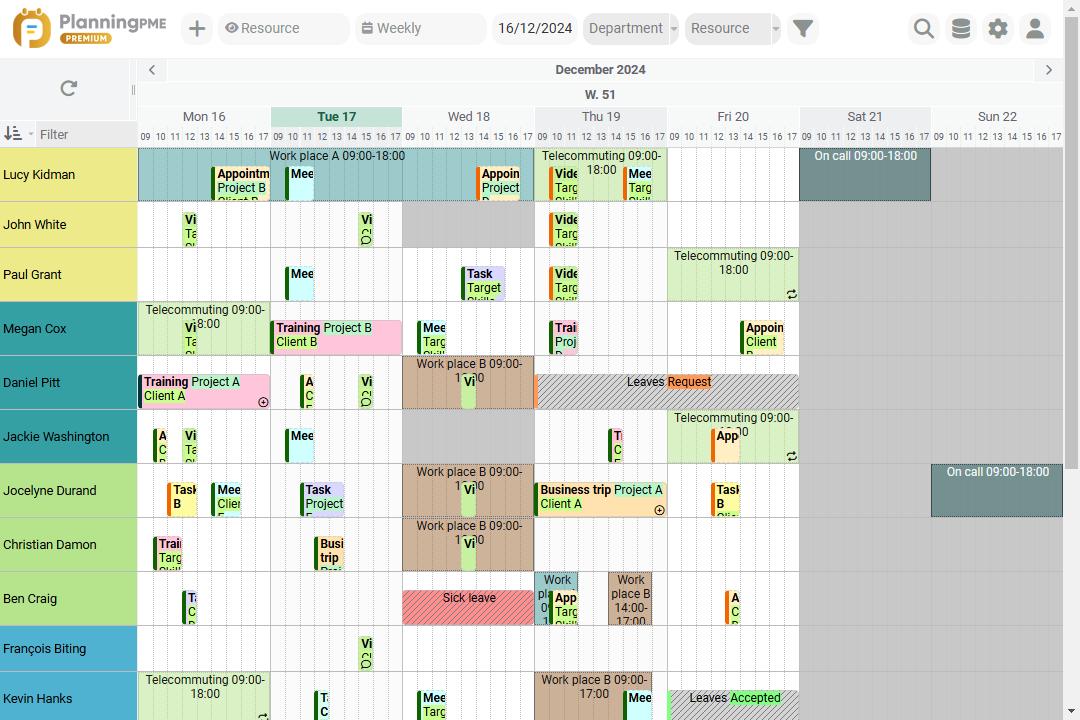
PlanningPME: scheduling tool that reflects the realities of accountancy firms
PlanningPME is designed to schedule resources (both human and material) and activities with a level of detail suitable for a practice: assignments, time periods, task types and unavailability, whilst remaining easy to use on a day-to-day basis.
- Workload overview at a glance : team view, department view, multi-week view to anticipate peaks.
- Staffing by profile and seniority : distinguish between partners / directors / managers / senior staff / junior staff / work-study students / interns / contractors.
- Filter by skills : quickly find and assign tasks to qualified personnel
- Job descriptions tailored to the firm : client audit, firm audit, finalisation, half-yearly, interim, training, remote working, seminar…
- Managing unavailability without a parallel Excel file : annual leaves, time off in lieu, sick leaves, training, public holidays.
- Adaptability to change : reschedule an assignment, reallocate staff for a week, and see the impact straight away.
- Controlled sharing : Everyone can see what they need (their schedule, their team, or an overview, depending on their role).
- Tailored to your habits : can be synchronised with calendars (e.g. Outlook / Google) to avoid double entry.
3 practical examples of everyday use in an accountancy firm
Case 1 – Audit assignment at a client’s premises involving travel and overnight stays
A team will need to work on site for three days, including overnight stays. Without a tool, we discover the day before that a senior staff member is already working on finalising a project, and that an internal meeting room has been booked for a training session. With PlanningPME:
- The “Audit – Client – with overnight stays” assignment is scheduled several weeks in advance
- We lock in the right profiles (senior + junior), and we visualise workload conflicts
- We book the necessary resources (vehicle, room, equipment) if required
- If something unexpected comes up, the manager can reschedule the task and immediately see how it affects the rest of the week
The result: fewer last-minute decisions and better adherence to deadlines.
Case 2 – Tax season: finalisation and securing submission
During the tax season, the challenge lies not so much in the overall workload as in its concentration and the interdependencies between the various stages (review, finalisation, proofreading, issuance). With PlanningPME:
- You schedule dedicated time blocks for finalisation and accounting work by team.
- You schedule reviews by managers and senior staff at the right time
- You identify the weeks that are at risk (too many project completions + planned absences) and make adjustments in advance
The result: a more realistic workload, meaning fewer hours of compulsory overtime.
Case 3 – Remote working + training: maintaining capacity without compromising quality
Between working from home, in-house training, a DataSnipper video training, and time off (annual leaves, sick leaves, etc), weeks become fragmented. With PlanningPME:
- Remote working is treated as a working environment (useful for organising team meetings)
- Training sessions are scheduled as tasks and therefore included in the workload plan
- Availability issues are identified and shared, thereby avoiding “unpleasant surprises” when assigning a task
The result: skills development takes place without disrupting client projects.
Comparison table: Excel vs shared calendar vs PlanningPME
| Criteria (audit/consultancy firm) | Excel (workload plan) | Agenda (Outlook/Google) | PlanningPME |
|---|---|---|---|
| Multi-team / multi-office view | Partial | Partial | Yes |
| Allocation by seniority | Manual | Limited | Yes |
| Filter by qualifications | Manual | No | Yes |
| Time-off management (holidays/sick leaves) | Separate sheet | Partial | Yes |
| Long-term assignments + peak periods (tax period) | Difficult | Difficult | Yes |
| Travel / accommodation / constraints | Manual | Partial | Yes |
| Material resources (rooms, equipment) | Manual | Yes | Yes |
| Workload & availability reports | Fragile | Weak | Solid |
Implementing PlanningPME in an accountancy firm: 5 best practices
- Get started easily: Up to 10 assignment labels (client audit, finalisation, half-yearly review, training, remote working, etc.), then refine.
- Standardise unavailbilities : annual leaves, time off in lieu, sick leaves, training, public holidays.
- Define staffing rules: who is responsible for what (manager vs senior manager vs director), and over what timeframe (week, month, quarter).
- Making the schedule “useful” for teams: easy access and enough visibility to organise themselves (without exposing sensitive information).
- Hold a short weekly review: 15 minutes to adjust this week's schedule and to plan the next.
For a well-managed workload and more composed teams
A high-performing firm is not one that sacrifices its employees’ personal lives by making them work evenings and weekends. It is the one who plans ahead, distributes the workload sensibly, and safeguards time for essential activities such as training, proofreading and coordination. With a resource-based scheduling tool like PlanningPME, you move from ad-hoc management (Excel + messages) to collaborative management: everyone can see where they’re heading, and managers can step in earlier.
Customers case studies - Testimonials
Testimonials

Discover the success story of our client RSM Secovec
RSM Secovec optimises the planning of its accountancy practice
Company Overview
Our accounting and auditing firm has built a complete service offer around financial information: Account production, acquisition audit, accounting and financial security, social law consulting, reporting, etc. We implement methodologies allowing us to support a small clientele, groups of SMEs and up to the very large company all over France and abroad through our networks RSM France and RSM International. We pay special attention to the training of our employees and their ability to adapt to best meet the needs of our customers.
Our scheduling needs
Our audit and accounting activity is an activity with a strong seasonality. Our challenge was to find a way to build load plans per team and help us manage our budget.
Management of the provisional planning and customer appointments
PlanningPME is first used in provisional schedule . In July each team enters the various missions planned on each client with a provisional date of intervention.
- 1st use: this database is exported and integrated into an Excel file that will be updated every month with the real times per customer from our internal billing software.
This allows us to manage a forecast compared to a realised one.
- 2nd use: for our audit activity, the database continues to live and allows view interventions planned and re-plan as needed.
FAQ
By planning critical phases (review/ finalisation/ proofreading) well in advance, factoring in absences, and safeguarding high-risk weeks through a realistic workload plan in PlanningPME.
Yes: by presenting it as a framework and keeping key dates (team meetings, reviews, training sessions) clearly visible, to avoid “ghost meetings”.
By categorising staff by skills and filtering the schedule : you can immediately visualise the availability of qualified personnel.
Excel is a good place to start, but it falls short when it comes to managing multiple teams, absences, last-minute changes and shared visibility. A dedicated tool prevents the need to re-enter data and helps avoid errors.