Scheduling for commercial kitchen designers
Optimise installation, maintenance and servicing of commercial kitchens with an intelligent, centralised schedule.
- Overview of the industry: equipment & markets
- Typical operational issues for an installer/after-sales services
- The 10 most important steps to plan in a workflow
- How scheduling software (e.g. PlanningPME) adds value
- KPIs & steering: what to monitor each week
- Good scheduling practices (field & workshop)
- Customers case studies - Testimonials
- FAQ

In a nutshell
The market of large/ commercial kitchen installation services includes companies that design, sell, install, commission and maintain equipments for cooking, refrigeration, washing, ventilation and laundry for commercial, institutional and industrial catering. Teams are multi-disciplinary (design office, sales, workshop, installers, 24/7 after-sales technicians, store/inventory, scheduling). The right scheduling software, such as PlanningPME, makes it easy to prepare worksites, schedule works and manage time-off and on-call duty, while improving lead times and quality of service.
Overview of the industry: equipment & markets
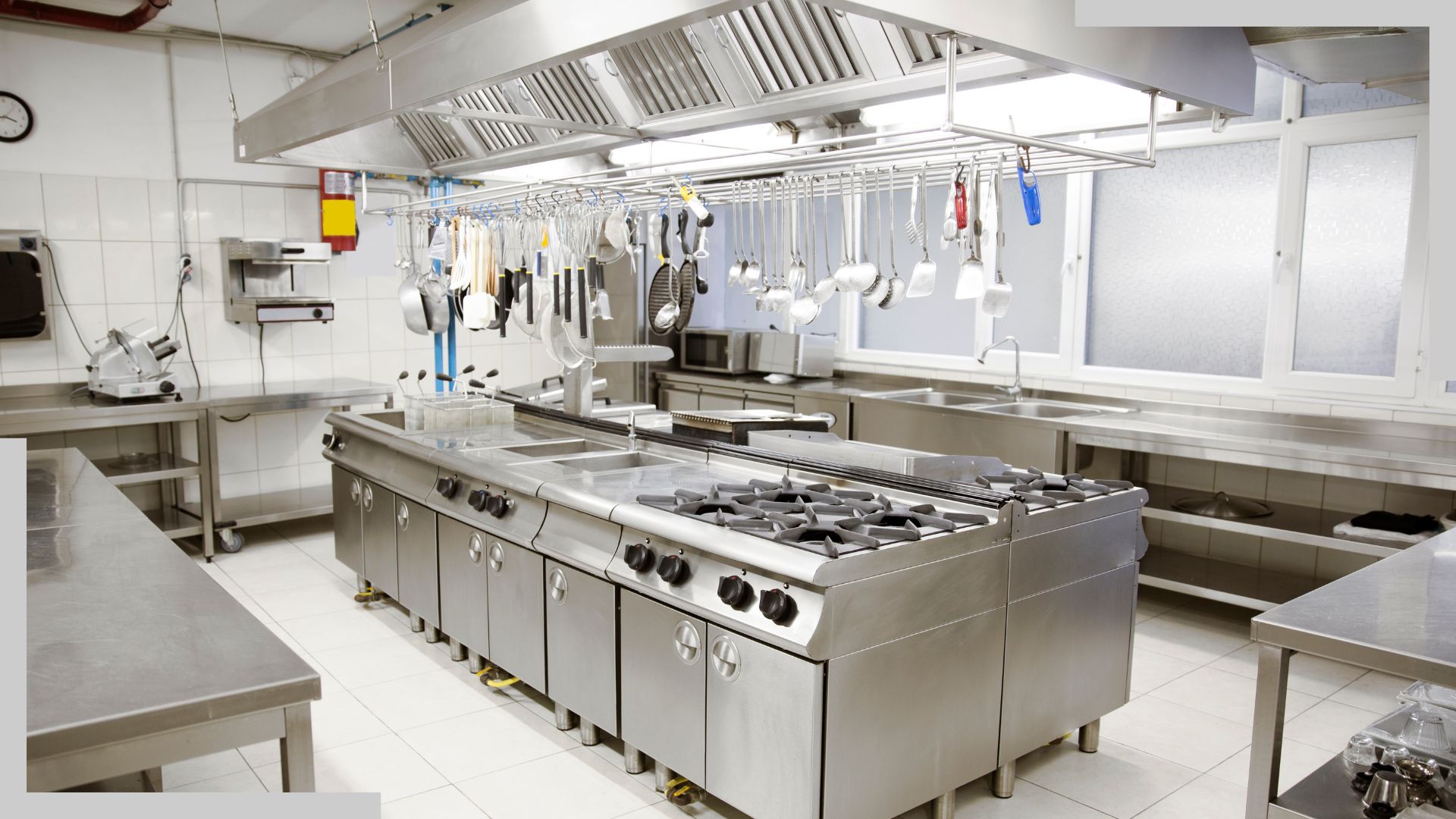
A commercial kitchen installer is involved in the entire life cycle of the equipment: design, sales, installation, commissioning, user training, and preventive and corrective maintenance. The equipment typically concerns refrigeration, preparation, cooking, distribution, washing, ventilation and laundry. The markets addressed include commercial catering (restaurants, hotels, sandwich shops), institutional catering (schools, hospitals, companies, health and social care, central kitchens) and industrial sites. In these highly demanding environments, maintenance contributes to service continuity and compliance (hygiene, safety).
Typical operational issues for an installer/after-sales services
- Coordination of multiple departments : administration, sales, design office, technical services, installations, central planning, warehouse/stocks.
- Site coordination : quotations & contracts, site preparation, orders for parts/suppliers, deliveries, commissioning & training, acceptance reports.
- After-sales service & on-call duty : management of priorities (very urgent / urgent / under 48 h / under 72 h) and 24/7 on-call periods (common in the sector).
- Preventive maintenance : contracts, scheduled rounds, periodic reminders, consumable parts.
- Compliance & hygiene : periodic inspections, fire extinguishers/ventilation, records.
- Human resources : unavailability (leaves, sickness, training, maintenance, compensatory rest, public holidays, medical appointments, etc.), management of skills and authorisations (refrigeration, electricity, gas, work at height).
The 10 most important steps to plan in a workflow
- Kitchen installation : a plan of stages from design to commissioning and user training.
- After-sales services : hot/ cold-side troubleshooting with automatic sorting by emergency level and the Service Level Agreement (SLA). 24/7 for certain contracts.
- Preventive maintenance : schedules, periodic tasks, checklists, historical records.
- Site preparation : grouping of workshop tasks, supplier orders, booking of team slots, deliveries.
- Management of equipment parts : tracking of "parts on order", reminders, reception, assignment to specific works.
- On-call duty : on-call schedule (evenings/ weekends), escalation rules, notifications.
- Workshop / stainless steel prefabrication : production slot, vehicle inventory, recycling, fire extinguishers.
- Training : internal (safety), external (equipment brands), monitoring of authorisations.
- Logistics & deliveries : route optimisation, delivery windows, returns.
- Administration : contracts, amendments, quality control, certificate of completion, invoicing in relation to progress.
How scheduling software (e.g. PlanningPME) adds value
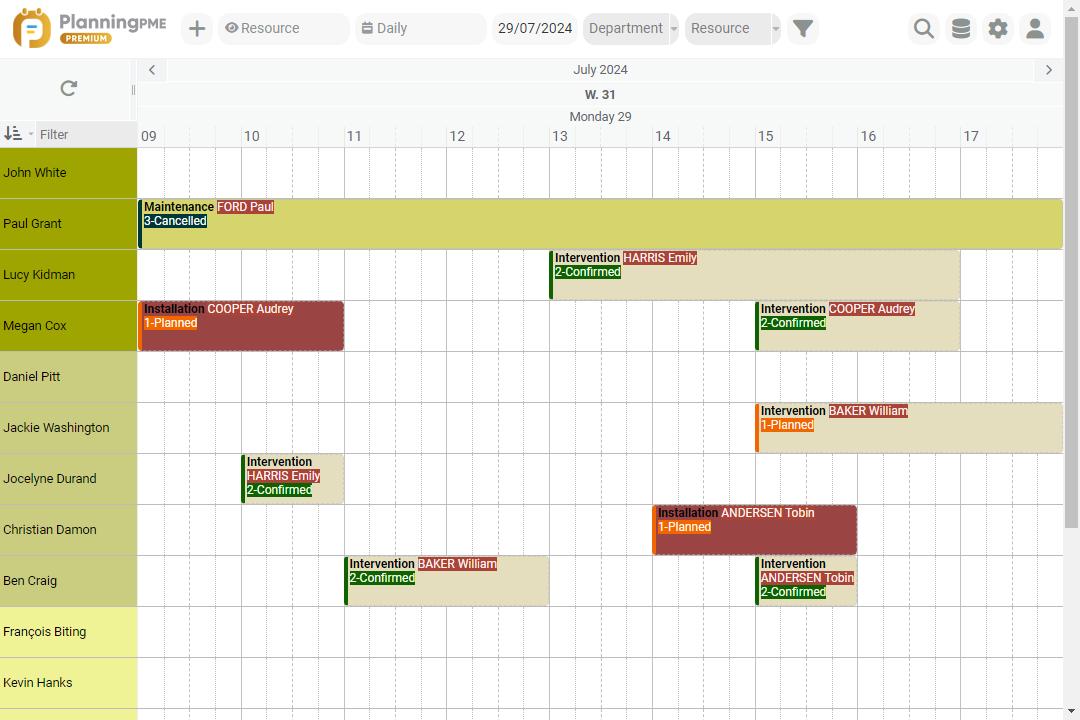
Scheduling software dedicated to the day-to-day work of commercial kitchen installers and after-sales service providers should enable the following :
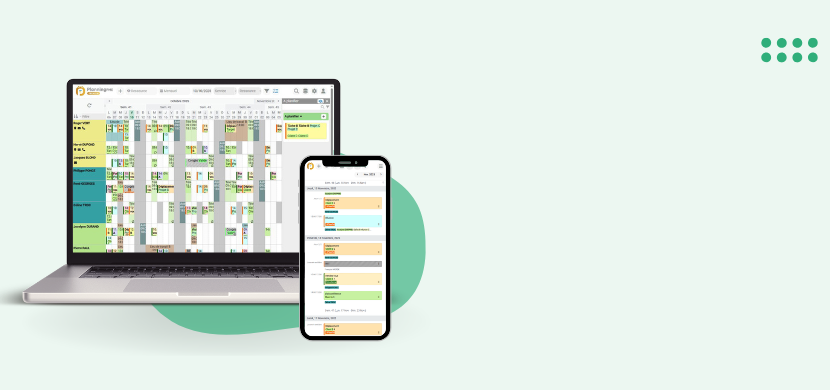
- Quick assignment of jobs by drag & drop, day/week/month/year views, colour coding by status (very urgent, urgent, etc.).
- Recurring tasks for preventive maintenance (contracts, periodic visits). (PlanningPME has the "recurring task" function to manage periodic actions).
- Real-time sharing of the schedule between the workshops, installers and after-sales service; absence management (holiday, sickness, training, etc.).
- Calendar synchronisation (Outlook/ Google) to align field and office teams.
- Mobile access to view/ update schedules on the move (installers, after-sales technicians).
- Service history (traceability), status tracking, equipment parts used, photos/reports.
- Statistics: workload per resource, on-time performance, mean time to repair (MTTR), preventive maintenance rate, etc.
Experience and trust : PlanningPME is a scheduling solution used by several thousand companies and integrates seamlessly with existing tools (Excel, Outlook, Google Calendar).
KPIs & steering: what to monitor each week
- Rate of compliance with deadlines = number of services carried out within the planned timeframe / total number of services.
- Average response time & average repair time for after-sales services.
- Preventive vs corrective maintenance = rate of preventive services over the total number of services. (Preventive action reduces breakdowns, saves costs and improves image).
- Rate of resolution by a single visit = no subsequent visits required
- Productive time vs. travel time per technician.
- Coverage per contract = equipment covered / total number of equipment.
- Customer satisfaction after service.
Good scheduling practices (field & workshop)
- Groupe by skills (equipment concerning refrigeration, cooking, laundry, ventilation, etc) and qualifications (electrical/ gas), then filter the schedule.
- Plan logical routes (geographical proximity + equipment parts available) to reduce travelling.
- Maintain an "intelligent" truck stock + vehicle inventories planned on a monthly basis.
- Standardise checklists (commissioning, preventive maintenance) to improve quality and traceability.
- Prepare works in stages : Designing, ordering component pieces, deliveries, installation, commissioning, training, certificate of completion.
- On-call duty: display weekly on-call rotation and automate alerts to notify the people concerned, particularly for weekends and public holidays. 24/7 shifts are common in this business: think about adapting the number of people and the organisation to ensure that on-call duty remains sustainable and effective.
- Unavailability: integrate this information (leaves, training, appointments, etc.) systematically to avoid overloading schedules of certain resources.
Conclusion
The industry of commercial kitchen installation is based on flawless execution: site coordination, after-sales service responsiveness, compliance and safety. By structuring your organisation around a single schedule for installation, maintenance, on-call duty and absences, you can reduce lead times, improve quality, make life easier for your teams and boost customer satisfaction.
Customers case studies - Testimonials
Testimonials
I'm generally very satisfied with this software, which provides a simple solution for our scheduling, and can be supplemented by a wide range of modules. It's also worth noting that the team is very kind and generous to help. One of the strong points I appreciate is the visual simplicity of the software. The whole team can see the schedule at a glance. Since upgrading to the Premium version, we've been using a very useful function for our kitchen fitters: file attachments. The modularity is also very valuable: we can really adapt the software to the needs of the company.


Discover the success story of our client Challenge Bât
Challenge Bât has been using PlanningPME for years to organise the planning of kitchen installers and interior works
Company Overview
Building company for more than 15 years, we specialise in all interior work (plumbing, electricity, wall and floor coverings).
But we also master the installation of prefabricated kitchens and the layout of bathrooms (more than 40 000 kitchens installed since 1997).
The company consists in an administrative platform, technical sales engineers and about forty installers.
Our scheduling needs
Since 2008, our company uses PlanningPME to manage the activities of more than 50 installers and more than 40,000 customers. Company dedicated to finishing work stages, Challenge Bat installs more than 300 kitchens a month and sets up hundreds of building sites for interior works. Without a careful organisation, it would be impossible for us to manage all these activities and especially to synchronise them.
PlanningPME software is the single one that could enable us to set up this organisation without having a surplus of manpower. Moreover, together with the responsive, dynamic and skilled Target Skills team, we were able to interface PlanningPME with our own software for commercial management and reporting, thus setting up an accessible package from any place connected to the internet.
Save valuable time by checking your schedule from your mobile!
Thanks to PlanningPME, we can know anytime with confidence what is happening in the company by checking our smartphones. Its user-friendliness and ease of use allow us to quickly train our administrative staff, or technicians who use it. In almost 5 years, we have never had any unresolved worries. It is with great peace of mind that we use and will continue to use PlanningPME for the years to come.
FAQ
Real-time visibility of worksites and services, optimal allocation of resources (workshop, installers, technicians), management of priorities, contracts and time-off. With PlanningPME, you can share and assign tasks, plan events, organise holidays and view status in real time.
Yes. Create recurring tasks (quarterly, half-yearly, etc.) for each piece of equipment under contract: the system reminds you of the due date and records the visits.
Yes. PlanningPME can be adapted to companies of any size (VSEs, SMEs, large groups) and to different industries, including equipment installation/ maintenance.
Teams on field work can view and update their schedules on mobile devices (iOS/Android), which is useful for after-sales services and commissioning.