Room scheduling
Whether you're coordinating meetings, events, or classes, effortlessly manage room occupancy and find available spaces with ease using our room scheduling software.
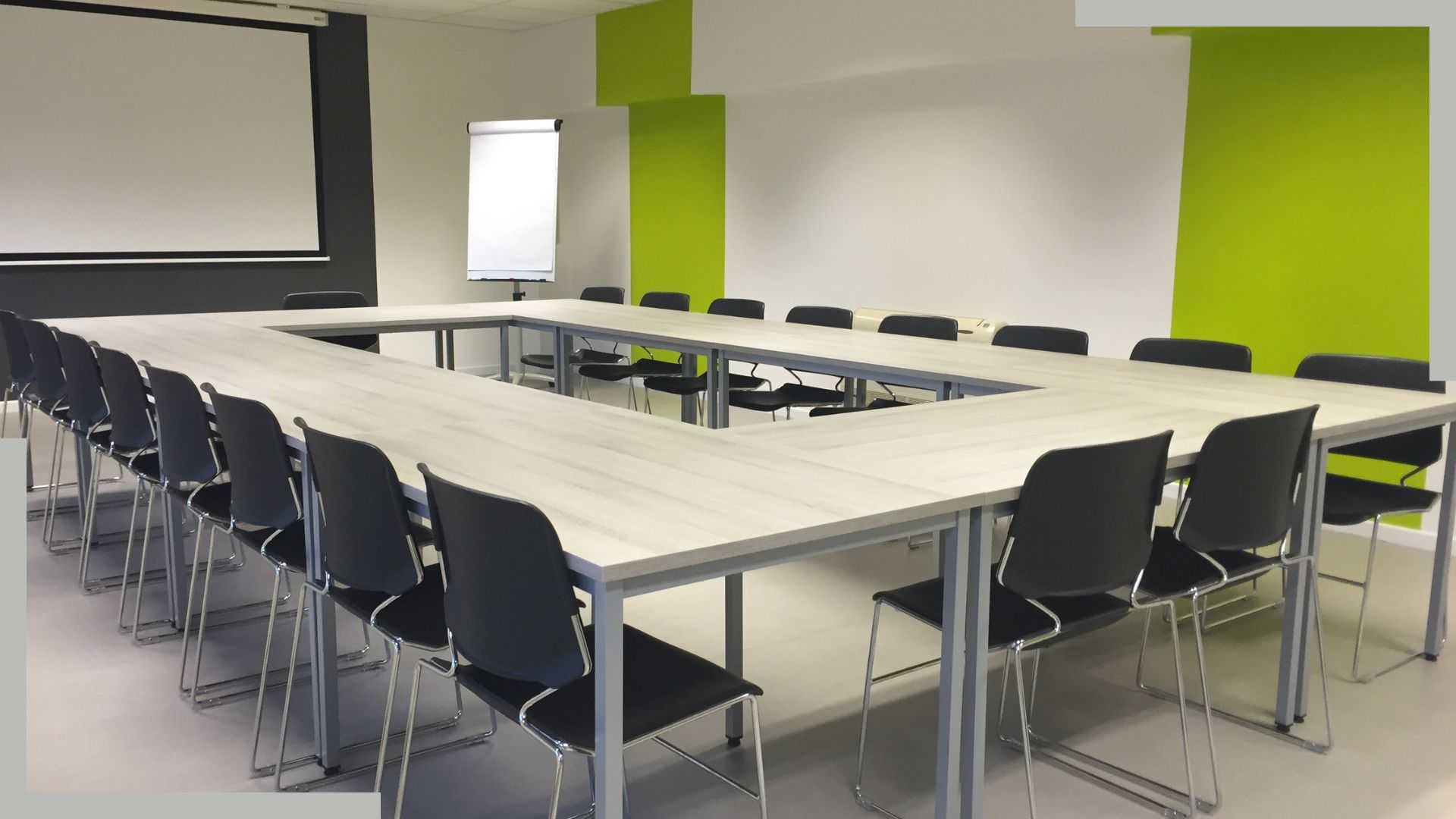
Optimising room reservation planning is essential for ensuring the efficient use of meeting spaces within a company. A well-organised meeting room occupancy schedule maximises availability and minimises scheduling conflicts. To facilitate this management, it is crucial to create a shared meeting room schedule accessible to all teams in real time. This simplifies room scheduling management by allowing employees to easily plan meetings, conferences, workshops, classes, or other events and ensure that the necessary equipment is available, thereby enhancing collaboration and productivity.
Key features for room scheduling
Filters
Human and/or material resources
E-mail and notifications
Manage different types of rooms and equipments
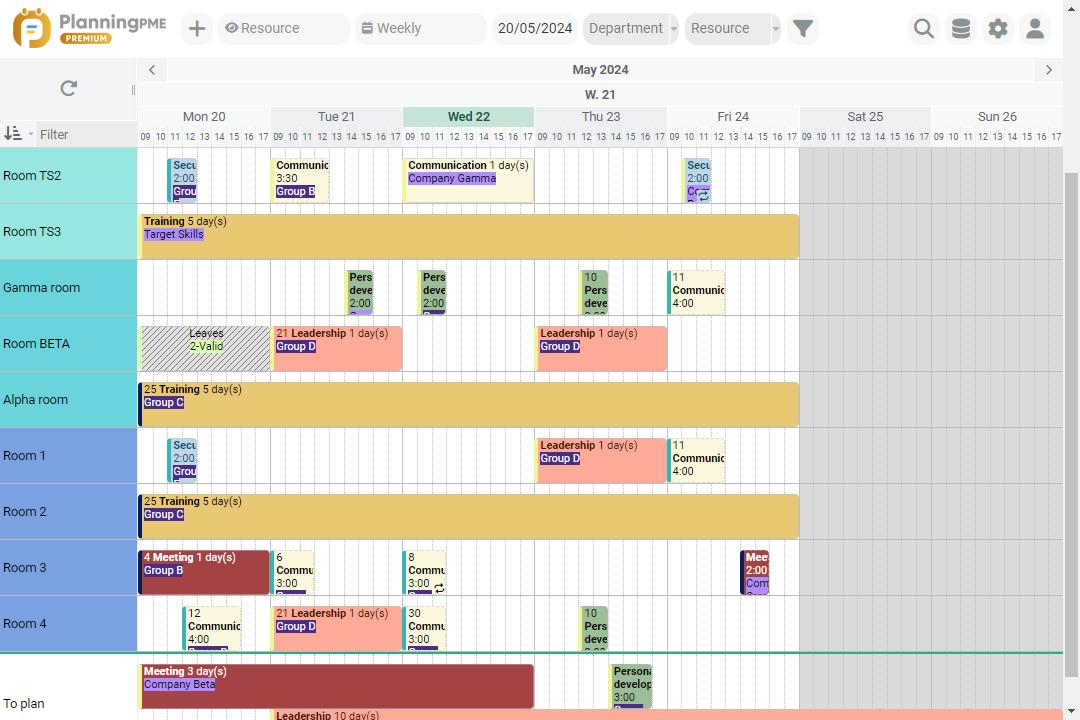
Book your rooms, facilities and equipments in just some clicks. Thanks to a visual and graphical interface, follow your rooms occupancy and schedule your meetings and conferences easily avoiding double bookings thanks to warnings. Activate some reminders in order to confirm reservations and make statistics and reports on hours and type of bookings.
With a shared schedule, you can effectively manage room availability and organise your appointments according to your timetable. PlanningPME's online calendar allows you to visualise the occupancy rate in real time and check the capacity of each conference room. With better coordination, you can schedule cleaning sessions between bookings, ensuring a pristine environment for every event. This facilitates organisation and ensures that all rooms meet the needs of your meetings, training sessions, and seminars.
Streamline room reservations with ease and efficiency
Fed up with your current spreadsheet that opens slowly and can not be opened by several users at the same time? PlanningPME allows you to manage all types of rooms as well as the use of equipment, resources and also equipment available for a particular room. A few clicks are enough to manage one or more rooms to organise a meeting, a training or an appointment, by defining specific time slots.Try out our visual and user-friendly room scheduling software.
Via a single interface, share the planning software with all your colleagues and find out rapidly who booked a room, for
which purpose and for which duration.
Several views of the schedule are available allowing a detailed or global view of the room occupancy. You can change the display of the time period on the screen, to switch from a daily view to a monthly view of room reservations, for example. You can also create a room reservation, edit it, or delete it very quickly. Practical features indicate conflicts in the schedule if, for example, a room or a resource is not available at the desired time.
Thanks to the filters function, you can filter the schedule data to display only the reservations linked to a customer, or a type of service performed such as a seminar.
Regarding the history, all the events are kept in the schedule in order to be able to access the detail of the previous reservations of a customer or a room if need.
Customers case studies - Testimonials
Our business is active in adult and professional training, we manage 80 lecturer colleagues and 15 classrooms with PlanningPME. We also carry out training at our clients' sites and we have found PlanningPME to be a good way of managing our sessions. After several months' research, we chose PlanningPME because it met the majority of our needs and our moderate budget. We are happy to testify to the excellent way this software matches our needs. The installation was very easy and the software met our expectations perfectly.

Discover the success story of our client Bâtiment 4
The Association Bâtiment IV uses PlanningPME to manage the organisation of cultural events
Company Overview
Bâtiment 4 is a cultural venue with thirty or so rooms in a building measuring 3000m2, available on a self-service basis, that can be reserved by the permanent members of the associations, as well as non-permanent members. The rooms can be booked for a short period, as well as for events that could last up to several weeks.
Bâtiment 4 was created in September 2020. The target audience is the public from the town of Esch sur Alzette, which is going to be the European Capital of Culture in 2022.
This means that all the people of Luxemburg are the target audience, as well as foreigners who will be coming to visit this new European capital.
Our scheduling needs
We have spaces devoted to theatre, others to dance and others for seminars, meetings and exhibitions. The aim was to have the ability to manage room availability in a scheduling tool that could be accessed by all the associations. Le Bâtiment IV is multicultural and multitask. We have large spaces measuring 111m2. Scenery can be mounted in spaces devoted to theatre. Important information: members of the various associations will have use of them free of charge. External companies will have to pay for the room reservation service.
Managing reservations for all kinds of event
Three companies were consulted in the start-up phase, as the company was just starting out and was looking for the ideal tool. For us, PlanningPME is a scheduling system that is intuitive and easy to use that can be consulted by everyone, even simply viewed.
The Administration Manager and the Artistic Facilitator are responsible for using the scheduling.
On their side, the people with responsibility in the associations are also able to access the scheduling to create reservations for their respective events. As regards hardware, people hire it externally. Bâtiment IV will provide chairs, and a projector in the meeting room which can also be installed in the large rooms when used for conferences.
FAQ
Here are the 5 steps to create a room booking schedule:
- Choose an online scheduling tool : Choose an online booking system or room management software that allows users to see real-time availability and make reservations easily.
- Save the rooms and their specificities : Document each meeting room with its capacities, available equipment, and any other relevant specifics.
- Define the types of bookings : Establish booking categories, such as internal meetings, training sessions, or presentations, to better organise the use of rooms.
- Create users : Add all employees to the booking system, assigning them the necessary rights to book rooms.
- Publish the schedule on a screen : Display the meeting room schedule on a screen in a common area for immediate visibility.
Here are the 6 steps to make a room schedule:
- Assess the needs : Identify peak demand periods and the specific needs of each team or user to optimise the use of the meeting room.
- Choose a management tool : Use a booking tool such as Excel, Google Calendar, Outlook, or a room booking application.
- Define the booking rules : Establish clear rules for booking, such as maximum meeting duration, usage priorities, and advance notice periods for bookings to ensure fair use.
- Create time slots : Define available time slots for booking based on working hours and peak periods, thus ensuring a balanced distribution of availability.
- Communicate the procedures : Inform all users about the booking procedures, including how to book, modify, or cancel a reservation, to ensure a common understanding and avoid conflicts.
- Monitor and adjust : Monitor the use of the room and adjust the time slots or booking procedures according to the needs and feedback of users, in order to maintain effective and appropriate management.
30-day free trial to boost your schedule management
Request a demo Free trial